 Quran
Quran

Can a phone really teach your child to recite the Quran properly? It is a fair question in a country where nearly 1.8 million people identified as Muslim in the 2021 Census, about 4.9% of the population, and where many of those families live a long drive from a masjid running a daily halaqah.
This is why Quran learning apps have become a daily habit in Canadian homes. A phone now holds the full Uthmani script, dozens of reciters, word-by-word translation, and an AI listener that flags a missed word.
Not every app earns space on your child’s tablet. This guide covers what these tools do well, how to choose one, and five apps worth downloading in 2026, with notes on who each suits and what it costs.

1. Quran.com App (Quran by Quran Foundation)
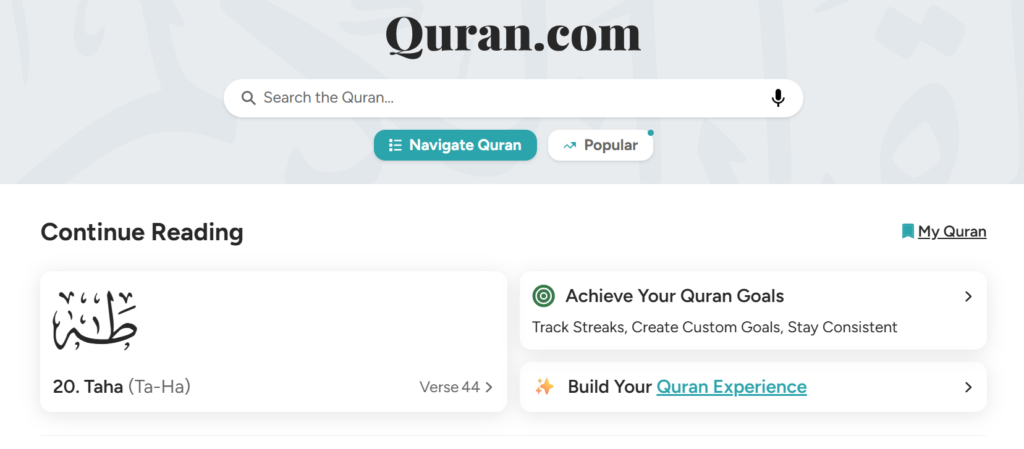
The Quran.com app is the mobile version of the platform many students already use in a browser. It carries the full mushaf with translations, tafsir, word-by-word breakdowns, and audio from a wide roster of reciters.
Its strongest feature for learners is depth of reference. Tap a word for its meaning, jump to a classical tafsir, then hear the ayah recited — useful when you want to understand what you memorize.
It suits older children, teenagers, and adults, especially reverts studying with an English translation beside the Arabic. Reading plans such as “Quran in a Year” give beginners a manageable pace.
Pricing is simple: it is completely free. Quran.com is run by Quran Foundation, a registered non-profit, so there are no ads, no locked chapters, and no subscription prompts.
One practical advantage is continuity across devices. Sign in once and your bookmarks, notes, and reading position follow you from a laptop at work to a phone on the bus, so a session interrupted at Al-Baqarah picks up exactly where it stopped. What it will not do is listen to you — there is no recitation feedback here, only reference.
Read Also: Quran Learning Tools For Kids
2. Tarteel: AI Quran Memorization
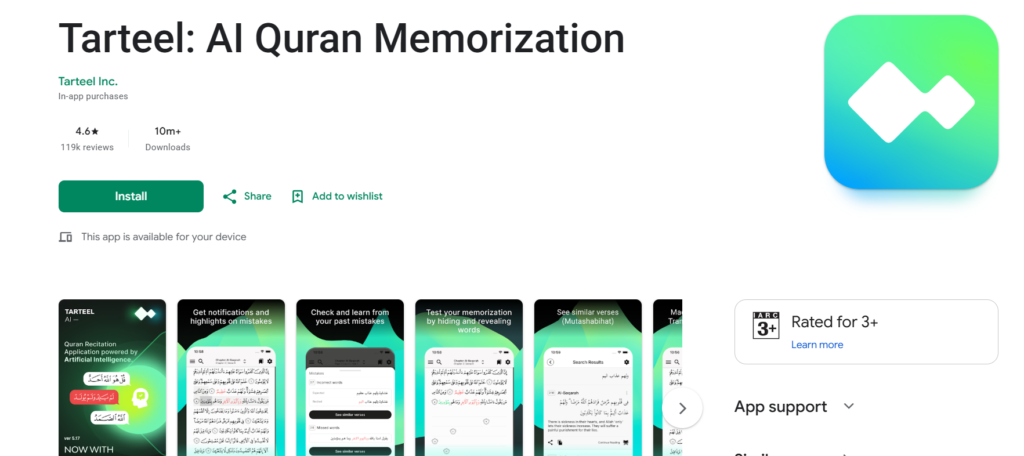
Tarteel is the best-known AI recitation companion, with over 10 million Google Play downloads and a 4.6-star average. You recite aloud, and it follows in real time, detecting where you depart from the mushaf.
The memorization workflow sets it apart. A hidden-verse mode blanks the text so you recite from memory, the AI marks the words you missed, and an error history shows which ayat you keep stumbling on.
It fits teenagers and adults working on hifz, plus parents supervising a child’s review without having memorized the passage themselves. Younger children need an adult to interpret the feedback.
Tarteel installs for free with a premium subscription. Follow-along and voice search are free; mistake detection, hidden-verse mode, goal planning, and error history sit behind the paid tier.
Set your expectations correctly before the first session. The app needs microphone access and a working connection, and background noise, a fast recitation pace, or a weak signal will occasionally send it to the wrong ayah. Recite in a quiet room at a steady tempo, and treat a flagged word as a prompt to check rather than a verdict.
3. Quran Majeed
Quran Majeed has been a staple on Muslim phones for over a decade: the complete mushaf in Uthmani script with colour-coded tajweed, dozens of translations, verse-by-verse audio from major reciters, and a loopable repeat function.
The tajweed colour coding is its most useful teaching feature. Rules such as ghunnah, idghaam, and qalqalah appear in distinct colours on the page, training the eye to anticipate a rule before the tongue reaches it.
It works well for adults and school-age children who already read Arabic letters and want to tidy up their recitation. It doubles as an everyday mushaf, with prayer times included.
The app downloads for free and is ad-supported, with a premium upgrade that removes advertising and unlocks extra recitations. The free tier is fully usable, so try it before paying.
Worth knowing before you rely on it: colour coding teaches you to recognise a rule, not to produce it. A student can name every green ghunnah on the page and still hold the nasal sound for the wrong duration. Download your chosen reciter over Wi-Fi in advance, then use the colours as a reading map rather than a tajweed course.
Read Also: The Quran Learning Journey

4. Adnan the Quran Teacher
Adnan the Quran Teacher is the app most Canadian parents hear about from other parents. An animated teacher walks young children through the Arabic letters, their sounds, and the short surahs of Juz’ Amma.
Its teaching sequence is genuinely thought through. A child hears a letter, repeats it, meets it inside a word, then inside an ayah — the progression a qaidah teacher uses, wrapped in animation that holds attention.
It is designed for children roughly three to ten, especially those who have not started formal classes. Parents who want to build on it usually move the child into structured Noorani Qaida lessons.
Adnan is a paid app rather than a subscription: you buy it once and keep it. Check the current price on the App Store or Google Play, as it varies by region.
Sit with your child for the first few sessions rather than handing over the tablet. A young learner can tap through a section and unlock the reward without ever pronouncing the letter correctly, and nobody notices until a teacher hears it months later. Ten supervised minutes a day, with you repeating the letter alongside them, is worth far more than an hour alone.

5. Learn Quran Tajwid
Learn Quran Tajwid app takes a different approach: instead of a mushaf, it gives you a course, moving from the articulation points of each letter through noon and meem sakinah, madd, and letter characteristics.
The record-and-compare tool is the feature worth installing it for. You record yourself pronouncing a letter or rule, play it back against the reference audio, and hear the difference for yourself.
It suits beginners and intermediate learners of any age who read Arabic script but were never formally taught tajweed. Adults returning after a long gap often start here.
It downloads for free with advertising and an optional paid upgrade to remove it. Treat it as a theory course running alongside recitation practice, not a replacement for a qualified teacher.
The best way to use it is slowly. Take one rule a week, then hunt for that rule in whatever you are already reading in your daily wird until you spot it without thinking. Racing through the units produces a learner who can pass the quizzes and still recite a page with the same old habits intact.
Read Also: Quran Learning Games
Live Class in Action
Watch how our instructors interact with students in real-time, focusing on interactive methods.
Start Your Quranic Journey in Canada
Join our vibrant community and learn with expert tutors through our flexible online platform.
Claim Your Free TrialHow to Choose the Right Quran Learning App
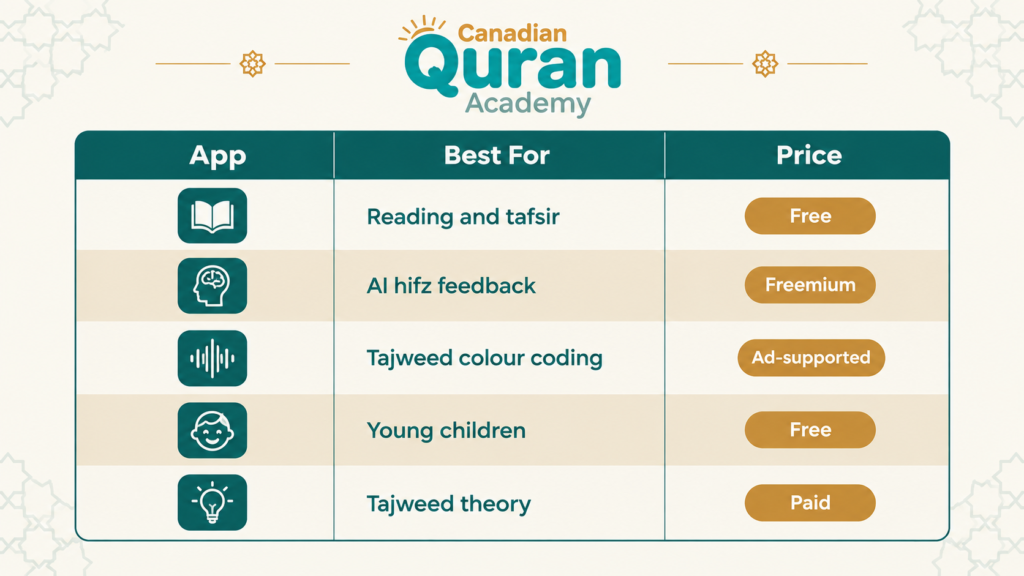
These five apps mentioned above cover the full range: plain reading, AI-assisted memorization, tajweed colour coding, tajweed theory, and an option for young children.
Store listings all promise the same things, so the useful comparison happens a level deeper. Run any candidate through the four checks below before installing it.
1. Match the App to the Learner’s Age
Children aged three to six need animation, a friendly character, and sessions under ten minutes. Learners aged seven and up can handle structured lessons, tajweed colour coding, and self-testing modes.
Reading level matters more than birthday, though. A nine-year-old meeting the Arabic alphabet for the first time belongs in a letters-and-sounds app, not a hifz tracker, and will lose confidence quickly in the wrong one. Check the ad policy too, since an ad-supported app on a child’s tablet shows whatever the network serves.
2. Check the Recitation and Repetition Controls
Look for adjustable playback speed, custom repeat ranges, and a hide-text function. These three controls do most of the memorization work; an app without them is a reader, not a teaching tool.
Test those controls in the free tier before you pay for anything. Check whether a repeat loop can span two pages rather than stopping at an ayah, whether audio keeps playing with the screen locked, and how few taps it takes to restart a loop. A control you have to hunt for is a control nobody uses at eleven at night.
3. Look for Progress Tracking and Offline Access
An app that logs what you recited and when it needs revisiting beats one that only displays pages. It should also pre-download audio, because commutes and cottage weekends involve dead zones.
Ask where that history actually lives. Progress tied to an account survives a lost phone or a switch from Android to iPhone; progress stored only on the device disappears with it. A record you can show your teacher — a streak, a list of weak ayat, a screenshot — also turns a weekly lesson into a targeted one.
4. Verify the Reciters and the Script
Choose apps using recognized qira’at and the standard Uthmani script your child will see in a printed mushaf. Switching scripts mid-memorization confuses the visual memory badly.
Match the riwayah to the one your teacher uses, usually Hafs ‘an ‘Asim in Canadian classes, and check that the app follows the 604-page Madani layout.
When the app’s page breaks line up with the printed mushaf at home, an assignment given as “page 213” means the same thing in class, on the tablet, and at the kitchen table.
Read Also: Quran Hifz Quotes
What Quran Learning Apps Can and Cannot Do
It helps to be clear about where this technology is strong and where it stops. These apps are excellent delivery tools; they are not a substitute for a trained ear.
Where These Apps Genuinely Excel
Repetition is the engine of Quran study, and software never tires of it. An app replays one ayah two hundred times, slows the audio without distorting the reciter’s voice, and hides the text on command.
They also remove logistics: no commute, no timetable, no waiting for fifteen classmates to catch up.
Progress data is the third advantage. Streak counters, verse totals, and error logs give parents something concrete to look at.
Where These Apps Hit a Ceiling
Pronunciation is the ceiling. Voice recognition can tell you which word you got wrong, but not that your qaf is drifting toward a kaf or that your ghunnah is a beat too short.
Tajweed rules also need someone to answer follow-up questions. Knowing a rule is called idghaam differs from applying it in an unfamiliar ayah at speed.
Most families therefore pair an app with structured Tajweed classes: the app supplies the reps, the teacher confirms the sound before a mistake becomes a habit.
Can You Learn Quran With an App Alone?
Partly, but not to the standard most learners want. An app can carry you through letter recognition, fluent reading, and much of memorization on your own. What it cannot do is certify that the sounds coming out of your mouth are correct.
Recitation is transmitted by listening and correction, teacher to student, which is why ijazah exists. Software hears words; a teacher hears letters, and the difference shows in makhaarij and timing.
The hybrid arrangement works best: use an app daily for repetition, then meet a certified teacher weekly to verify that work — the model our Quran memorization (Hifz) program is built around. Adding Quranic Arabic turns memorization into reading with meaning.
Experience Our Classrooms
Don’t just take our word for it—take a look inside! Watch the videos below to experience our engaging teaching methods and vibrant online classrooms firsthand.
Start Your Quranic Journey in Canada
Join our vibrant community and learn with expert tutors through our flexible online platform.
Claim Your Free TrialBook a Free Trial Class and Have Your Recitation Verified
Apps give you unlimited repetition. A certified teacher gives you certainty: that your makhaarij are right, your tajweed rules are applied correctly, and your memorization holds under pressure.
At Canadian Quran Academy, our tajweed, Quran recitation, and Arabic language classes run one-to-one online, at times that fit Canadian schedules in every province. Every teacher is qualified and experienced with children and adult beginners.
Start with a free trial class. Bring what you have practised in your app, recite it for a teacher, and learn in thirty minutes exactly where you stand. Claim your free trial class.
Our Quran Courses
- Quran Online Academy
- Quran Recitation Classes
- Quran Reading Classes
- Online Quran Classes for Kids
- Quran Classes for Adults
- Quran Classes for Female
- Learn Quran Course for Beginners
- Quran Memorization (Hifz) Course
- Hifz Classes for Adults
- Quran Memorization and Hifz Course for Kids
- Quran Hifz Course for Ladies
- Quran Ijazah Program
- Quran Qirat Learning Course
- Quran Tafsir Course
- Noorani Qaida Course
- Noorani Qaida Course for Kids
- Weekend Quran Classes
- Intensive Quran Course
- Al-Azhar Quran Course
- Online Tajweed Classes
- Tajweed Course for Kids
- Tajweed Course for Adults
- Tajweed Course for Ladies

Conclusion
Quran learning apps have solved access and repetition. Whether you need a free mushaf, AI feedback on your hifz, tajweed colour coding, or an animated teacher for a five-year-old, there is a well-built option — and four of the five cost nothing to try.
Choose based on the learner’s age, the repetition controls, and offline access. Install one app and open it daily rather than five you open once.
Takeaway Message: an app is the most reliable practice partner you will ever have, and the least reliable judge of your pronunciation. Use it for the reps, and a teacher to confirm those reps build the right habit.
FAQs
What is the best Quran learning app for kids in Canada?
For ages three to ten, Adnan the Quran Teacher is the strongest starting point, because its animated lessons follow a real qaidah sequence. Older children do better with the free Quran.com app plus weekly teacher-led classes.
Are Quran learning apps free?
Many are. The Quran.com app is completely free and ad-free, while Tarteel, Quran Majeed, and Learn Quran Tajwid install for free with optional paid tiers. Adnan the Quran Teacher is a one-time purchase.
Can an app correct my tajweed and pronunciation?
An app can flag which word you recited incorrectly, but it cannot reliably judge articulation points, letter characteristics, or timing. Those need a qualified teacher listening to you.
Which app is best for memorizing the Quran?
Tarteel is the most capable memorization tool, thanks to its hidden-verse mode and word-level error detection. Pair it with a spaced review schedule, since new pages without revision are why hifz stalls.







Leave a Reply